Install
TOC
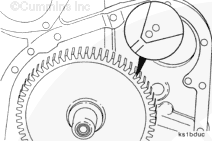
Rotate the crankshaft until the accessory drive timing marks on the camshaft gear are at approximately the 1:00 o’clock position.
Install a new gasket onto the accessory drive assembly.
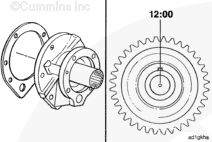
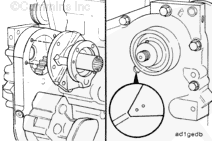
Place the accessory drive shaft dowel pin at approximately the 12:00 o’clock position when facing the shaft from the pulley end.
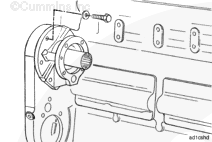
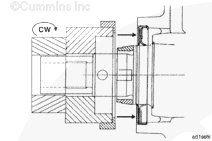
Install the accessory drive assembly into the gear housing accessory drive mounting hole.
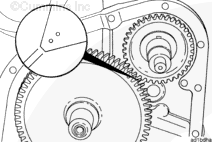
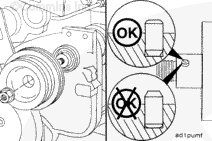
Check the alignment of the camshaft gear and the accessory drive gear timing marks.
Install and tighten the five accessory drive mounting capscrews.
Torque Value: 61 n.m [45 ft-lb]
Install the accessory drive assembly into the gear housing accessory drive mounting hole.
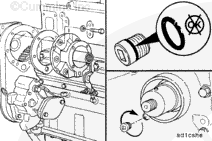
Check the alignment of the camshaft gear and the accessory drive gear timing marks through the inspection hole in the gear cover.
Install and tighten the five accessory drive mounting capscrews.
Torque Value: 61 n.m [45 ft-lb]
Check the o-ring on the inspection hole plug. Replace the o-ring if it is damaged.
Install and tighten the plug.
Torque Value: 27 n.m [239 in-lb]
Last Modified: 19-Sep-2011
Published by Jack
Hello, I'm Jack, a diesel engine fan and a blogger. I write about how to fix and improve diesel engines, from cars to trucks to generators. I also review the newest models and innovations in the diesel market. If you are interested in learning more about diesel engines, check out my blog and leave your feedback.
View all posts by Jack







;)
;)
;)
;)
;)
;)
;)
;)
;)
;)
;)
;)
;)
;)
;)
;)