Install
TOC
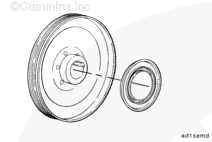
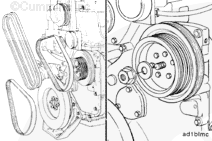
Install the dust seal by hand over the flange on the back of the pulley. Position the seal so that it is flush with the hub of the pulley.
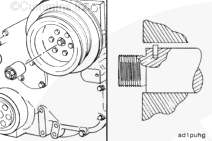
NOTE : Make sure the pipe plug behind the pulley is installed and tightened before pulley installation.
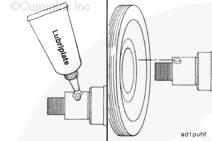
Apply a film of Lubriplate® 105, or equivalent, to the accessory drive shaft.
Align the keyway in the pulley with the dowel pin in the shaft.
Use your hand to partially push the pulley onto the shaft.
Install a pulley installation tool, Part Number 3376326, onto the accessory drive shaft.
Press the pulley onto the shaft until it fits against the shaft flange.
The dust seal will automatically position itself into the correct position.
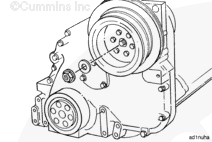
Install the washer and the flanged retaining nut onto the accessory drive shaft.
Keep the crankshaft from rotating and tighten the nut.
Torque Value: 421 n.m [310 ft-lb]
Install the freon compressor drive belt, if equipped. Refer to the OEM service manual.
Last Modified: 15-Sep-2011
Published by Jack
Hello, I'm Jack, a diesel engine fan and a blogger. I write about how to fix and improve diesel engines, from cars to trucks to generators. I also review the newest models and innovations in the diesel market. If you are interested in learning more about diesel engines, check out my blog and leave your feedback.
View all posts by Jack





;)
;)
;)
;)
;)
;)
;)
;)
;)
;)
