The fan clutches can be controlled by the electronic control module (ECM). The ECM is programmed to turn the fan on when 0-VDC (normally open switch) is applied to the fan clutch relay, and turn the fan off when 12-VDC (normally closed switch) is applied to the fan clutch relay.
The following fan clutch checks are for fan clutches wired to the electronically controlled fuel system. Refer to the vehicle manufacturer’s specifications to determine the installation of the fan clutch.
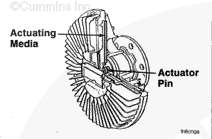
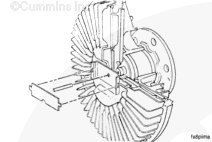
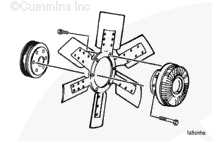
Viscous fan drives are used as a power-saving device activated by a built-in sensor behind the radiator used to monitor air temperature.
When the air temperature reaches a specific level, depending on the temperature setting of the sensor used, the temperature-sensing control moves an actuator that allows viscous fluid to engage the fan drive and increase the fan speed.
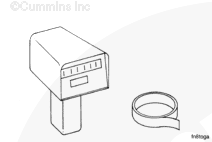
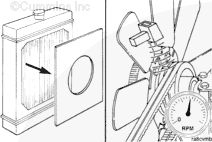
Use a fan rpm-measuring device to check the operation of the viscous fan hub. A strobe or digital optical tachometer, Part Number 3377462, can be used.
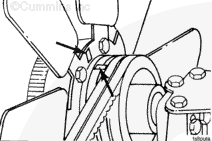
Mark a spot on the fan hub pulley and one fan blade so the measuring device can determine the pulley and the fan speed. Reflective tape, Part Number 3377464, in digital optical tachometer, Part Number 3377462, can be used to mark the fan blade and the pulley.
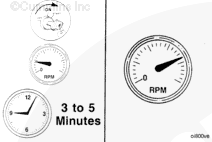
The cooling fan will engage when the engine is started. To reduce the possibility of personal injury, do not put your hands in the path of a rotating fan.
CAUTION
Do not exceed 100°C [212°F] coolant temperature. Higher coolant temperatures can damage the engine.
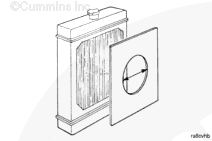
While the engine is still at high idle, remove the radiator grill cover. The fan speed must begin to decrease after 1 minute and eventually drop to a maximum of 50 percent of the input pulley speed.
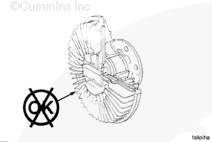
If the viscous fan hub fails this test, have it checked by an authorized fan hub dealer for repair or replacement.
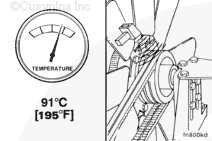
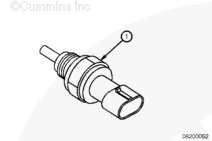
If the fan does not operate within the temperature range indicated on the coolant temperature sensor (1), the fan clutch and the controls must be checked. Refer to the OEM service manual.
If a fan speed measuring device is not available and the complaint concerns overheating, remove the viscous fan hub bimetal strip and the control pin. This will cause the fan hub to operate all the time.
If the overheating complaint does not occur with the control pin removed, install the control pin, and take the fan hub to an authorized fan hub dealer for repair or replacement.
Hello, I'm Jack, a diesel engine fan and a blogger. I write about how to fix and improve diesel engines, from cars to trucks to generators. I also review the newest models and innovations in the diesel market. If you are interested in learning more about diesel engines, check out my blog and leave your feedback.
View all posts by Jack


 WARNING
  CAUTION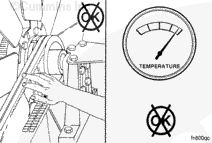




;)
;)
;)
;)
;)
;)
;)
;)
;)
;)
;)
;)
;)
;)
;)
;)
;)
;)
;)
;)
;)
;)
;)
;)
;)
;)
;)
;)
