Do not paint the back side of the ECM. Make sure no grease or dirt is between the ECM and the cooling plate. Failure to do so can result in ECM damage.
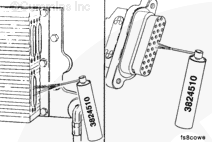
Use quick-dry electrical contact cleaner, Part Number 3824510, to remove all dirt and moisture from the ECM connector ports and the harness connectors.
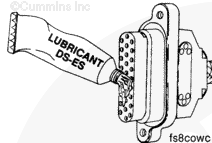
Use only Cummins, Inc. recommended lubricant DS-ES, Part Number 3822934. Other lubricants, such as lubricating oil or grease, in the connetors can cause ECM damage, poor engine performance, or premature connector pin wear.
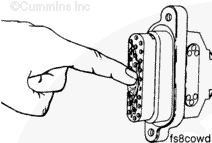
Apply a thin coat of the lubricant to the connector nosepiece.
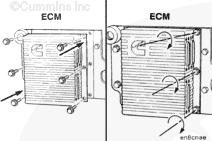
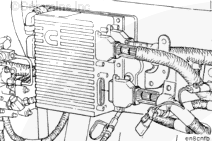
Plug the sensor, OEM, and actuator harness connectors into the ECM.
Tighten the connector capscrews to the ECM.
Torque Value: 2 n.m [18 in-lb]
NOTE: When an ECM is replaced, the new ECM must be calibrated. Use the following procedure in the CELECT™ Electronic Control System Troubleshooting and Repair Manual, Bulletin 3666084. Refer to Procedure 019-032 in Section 19.
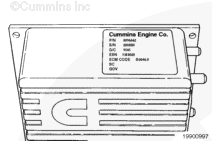
Do not punch the dataplate with a hammer or letter punch. Damage to the ECM can occur.
Copy both the ESN and ECM Code that are on the old ECMs dataplate to the new ECMs dataplate. Write these two numbers on the dataplate with an electric pencil. Include the SC and GOV data for United Kingdom (U.K.) engines, in addition to the ESN and ECM Code.
Hello, I'm Jack, a diesel engine fan and a blogger. I write about how to fix and improve diesel engines, from cars to trucks to generators. I also review the newest models and innovations in the diesel market. If you are interested in learning more about diesel engines, check out my blog and leave your feedback.
View all posts by Jack


 CAUTION



;)
;)
;)
;)
;)
;)
;)
;)
;)
;)
;)
;)