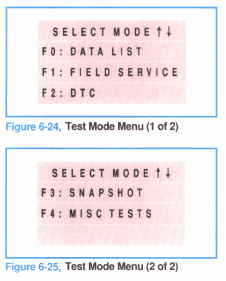
After completing the OBD, you can enter the Tech 1’s “Test Mode.” This mode offers a variety of testing and data compilation options, as shown in figures 6-24 and 6-25.
These options are described below.
• FO: Data List — this option displays the data parameters for identified data pairs.
• F1: Field Service — this option grounds terminal “B” of the DLC. This puts the PCM in Field Service mode. The “Service Engine Soon” lamp will flash any stored codes or loop status.
• F2: DTC — this option displays Diagnostic Trouble Codes (DTC) stored in the PCM. Both current and history codes are displayed, from lowest to highest.
• F3: Snapshot — this option takes a “snapshot” of data and stores it for later retrieval. This is particularly useful for diagnosing intermittent conditions.
• F4: Misc Test — this option access a variety of miscellaneous tests. The number of tests varies, depending on system capabilities.
The Data List’ DTC’ and Snapshot options are further described on the following pages. For instructions on other Miscellaneous Tests and other Tech 1 options, consult the Tech 1 Operator’s Manual.